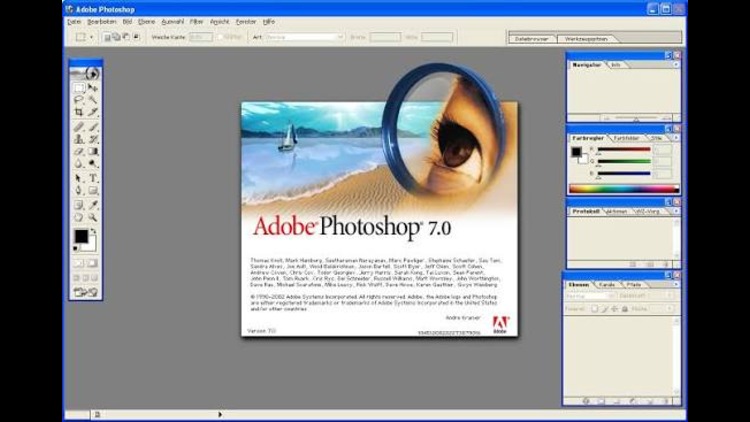
When digital creators look back at the history of graphic design, one specific release almost always sparks instant nostalgia: Adobe Photoshop 7.0. Launched in early 2002, this release arrived right as digital photography was taking off in everyday homes and professional studios. It was the definitive sweet spot of image editing—lightweight, snappy, and free from modern subscription hurdles. Even decades later, it remains one of the most beloved pieces of creative software ever built.
Thank you for reading this post, don't forget to subscribe!Breakthrough Features That Changed Everything
Before version 7.0, retouching a portrait was an exercise in pure patience. You had to rely heavily on the Clone Stamp tool, carefully balancing lighting, texture, and color so an edited cheek or sky didn’t look artificial.
Photoshop 7.0 changed all that with standout additions that laid the groundwork for modern workflows:
- The Healing Brush & Patch Tool:By sampling underlying textures while seamlessly blending lighting and color, these two tools let designers erase dust, scratches, and blemishes in seconds.
- A Re-engineered Painting Engine:Artists gained deep control over brush dynamics, simulating real-world mediums like pastels, charcoal, and watercolor with pressure-sensitive strokes.
- Integrated File Browser:Long before Adobe Bridge existed, this built-in visual browser made it simple to preview, sort, rank, and batch-rename camera photos without needing to open each one.
- Enhanced Vector Text & Spell Check:Photoshop introduced vector-based type tools equipped with a multi-language spell checker and a global search-and-replace feature across layers.
- ImageReady 7.0 Bundling:Packaged alongside the main program, ImageReady helped early web designers compress graphics, manage slices, and build interactive rollover buttons.
Original Technical Requirements
Looking at the specifications required to run Photoshop 7.0 in 2002 highlights how incredibly lean software used to be:
| Component | Windows Requirements | Macintosh Requirements |
| Operating System | Windows 98, ME, 2000, or XP | Mac OS 9.1, 9.2, or native Mac OS X (10.1.3+) |
| Processor | Intel Pentium III or 4 (or AMD equivalent) | PowerPC G3, G4, or G4 dual |
| RAM | 128 MB (256 MB recommended) | 128 MB (192 MB recommended) |
| Storage | ~280 MB available hard drive space | ~320 MB available hard drive space |
| Display | 800 × 600 resolution (16-bit color) | 800 × 600 resolution (16-bit color) |
Why People Still Remember It Fondly
What made Photoshop 7.0 special wasn’t just its feature set, but how it felt to use. You installed it once from an optical disc, launched it in the blink of an eye, and got straight to work without sign-in prompts, mandatory cloud syncs, or background telemetry. It ran smoothly on hardware that wouldn’t even boot a modern browser today.
While modern design tools offer generative AI and automatic background removal, Photoshop 7.0 retains a legendary status among veteran editors. It was the release where digital editing transitioned from a tedious technical chore into a fluid, tactile craft.